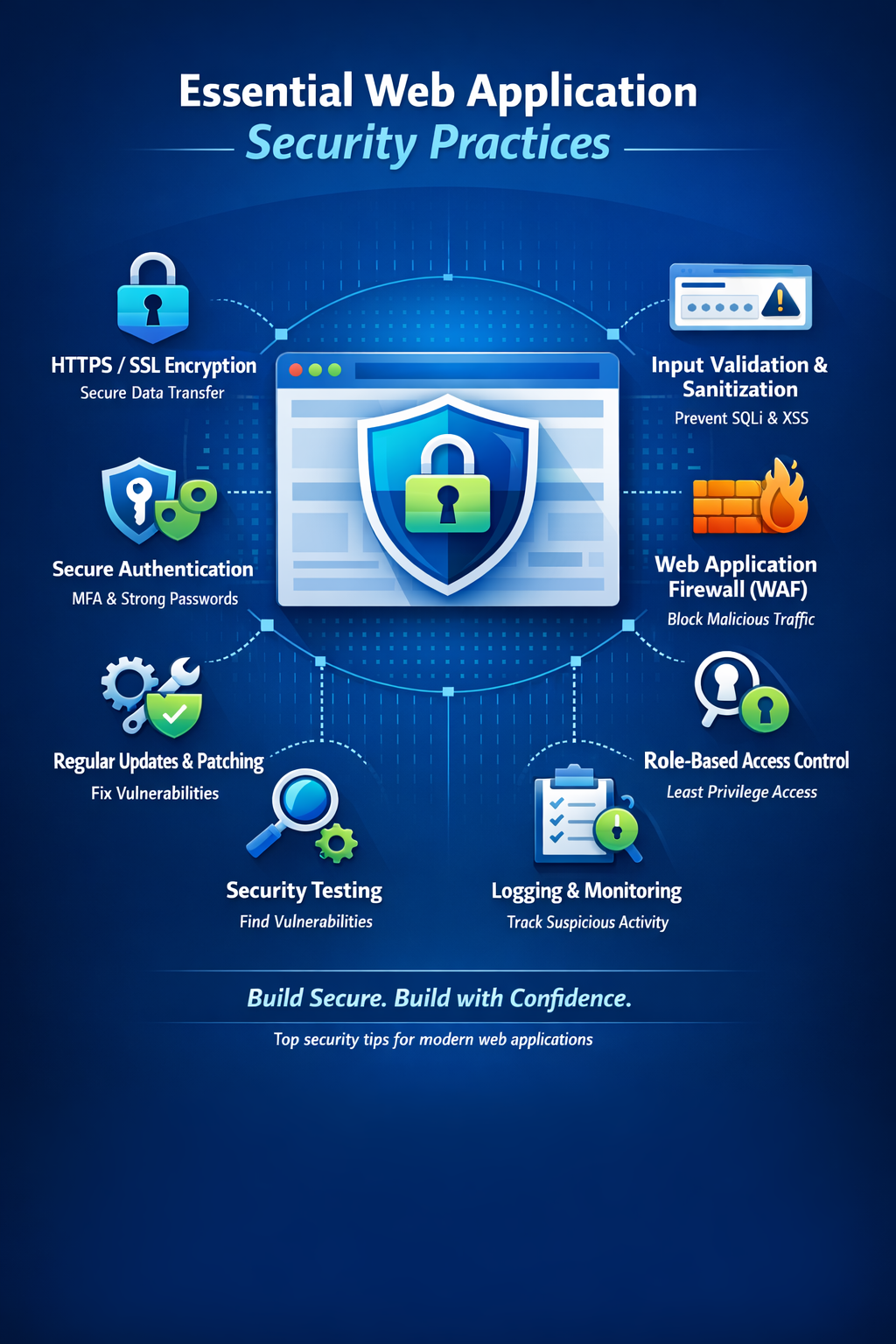
In today's digital landscape, web application security is not optional—it's essential. Cyberattacks are becoming increasingly sophisticated, and the cost of a security breach can be devastating for businesses and users alike. This comprehensive guide covers the most critical security practices every web developer must implement to protect their applications.
According to recent studies, over 70% of web applications have at least one serious vulnerability. Security should be integrated into every phase of development, not added as an afterthought.
Understanding Common Web Vulnerabilities
Before implementing security measures, you need to understand the threats. The OWASP Top 10 represents the most critical security risks to web applications. Let's explore the most common vulnerabilities and how to prevent them.
SQL Injection
Attackers inject malicious SQL code to manipulate database queries and access unauthorized data.
CriticalCross-Site Scripting (XSS)
Malicious scripts injected into web pages that execute in users' browsers.
CriticalCSRF Attacks
Tricks users into executing unwanted actions on authenticated applications.
HighBroken Authentication
Weak authentication mechanisms allow attackers to compromise accounts.
CriticalSensitive Data Exposure
Improper protection of sensitive information like passwords and credit cards.
HighBroken Access Control
Users can access resources beyond their authorized permissions.
High1. Prevent SQL Injection Attacks
SQL injection remains one of the most dangerous vulnerabilities. Attackers exploit it to steal data, modify databases, or even gain complete control of your server. The solution is straightforward: never trust user input and always use prepared statements.
Using Prepared Statements
// DANGEROUS - Vulnerable to SQL injection
$email = $_POST['email'];
$query = "SELECT * FROM users WHERE email = '$email'";
$result = mysqli_query($conn, $query);
// SAFE - Using prepared statements
$email = $_POST['email'];
$stmt = $conn->prepare("SELECT * FROM users WHERE email = ?");
$stmt->bind_param("s", $email);
$stmt->execute();
$result = $stmt->get_result();
If you're using Laravel or similar frameworks, the Eloquent ORM and Query Builder automatically use prepared statements, protecting you from SQL injection by default.
2. Protect Against Cross-Site Scripting (XSS)
XSS attacks occur when attackers inject malicious JavaScript into your web pages. This can steal user data, hijack sessions, or deface your website. The key is to sanitize all user input and escape output.
Input Sanitization and Output Escaping
// Always escape output when displaying user data
$username = htmlspecialchars($_POST['username'], ENT_QUOTES, 'UTF-8');
echo "Welcome, " . $username;

// Use Content Security Policy headers
header("Content-Security-Policy: default-src 'self'; script-src 'self'");
// Use textContent instead of innerHTML when possible
const userInput = getUserInput();

// SAFE
element.textContent = userInput;

// DANGEROUS - Can execute scripts
element.innerHTML = userInput;
3. Implement CSRF Protection
Cross-Site Request Forgery tricks users into performing actions they didn't intend. Protect your forms with CSRF tokens that verify requests originate from your application.
// Generate CSRF token
session_start();
if (empty($_SESSION['csrf_token'])) {
    $_SESSION['csrf_token'] = bin2hex(random_bytes(32));
}

// Include in form
echo '<input type="hidden" name="csrf_token" value="' .
     $_SESSION['csrf_token'] . '">';

// Validate on submission
if ($_POST['csrf_token'] !== $_SESSION['csrf_token']) {
    die('CSRF token validation failed');
}
4. Secure Password Storage
Never store passwords in plain text or using weak hashing algorithms like MD5 or SHA1. Use modern password hashing functions specifically designed for this purpose.
// Hash password during registration
$password = $_POST['password'];
$hashedPassword = password_hash($password, PASSWORD_BCRYPT);

// Store $hashedPassword in database
$stmt = $conn->prepare("INSERT INTO users (email, password) VALUES (?, ?)");
$stmt->bind_param("ss", $email, $hashedPassword);

// Verify password during login
if (password_verify($inputPassword, $storedHash)) {
    // Password is correct
    loginUser($user);
}
Enforce strong password policies: minimum 12 characters, combination of uppercase, lowercase, numbers, and special characters. Consider implementing multi-factor authentication for added security.
5. Implement Proper Authentication and Session Management
Weak authentication and session management can lead to account takeover. Implement secure session handling and authentication mechanisms.
Secure Session Configuration
// Configure secure session settings
ini_set('session.cookie_httponly', 1);
ini_set('session.cookie_secure', 1);
ini_set('session.use_only_cookies', 1);
ini_set('session.cookie_samesite', 'Strict');

session_start();

// Regenerate session ID after login
session_regenerate_id(true);
Key Authentication Best Practices
- Use HTTPS everywhere: Encrypt all data in transit with SSL/TLS certificates
- Implement rate limiting: Prevent brute force attacks on login forms
- Add account lockout: Temporarily lock accounts after multiple failed login attempts
- Use secure cookies: Set HttpOnly, Secure, and SameSite flags
- Implement session timeout: Automatically expire inactive sessions
- Enable 2FA: Add an extra layer of authentication security
6. Validate and Sanitize All User Input
Never trust data from users, external APIs, or any source outside your application. Always validate and sanitize input on the server side.
// Validate email
$email = filter_input(INPUT_POST, 'email', FILTER_VALIDATE_EMAIL);
if (!$email) {
    die('Invalid email address');
}

// Validate integer
$userId = filter_input(INPUT_GET, 'id', FILTER_VALIDATE_INT);
if ($userId === false) {
    die('Invalid user ID');
}

// Sanitize string
$name = filter_input(INPUT_POST, 'name', FILTER_SANITIZE_STRING);
7. Set Security Headers
HTTP security headers provide an additional layer of protection against various attacks. Implement these essential headers in your application.
// Content Security Policy
header("Content-Security-Policy: default-src 'self'; script-src 'self'; style-src 'self' 'unsafe-inline'");

// Prevent clickjacking
header("X-Frame-Options: DENY");

// XSS Protection
header("X-XSS-Protection: 1; mode=block");

// Prevent MIME sniffing
header("X-Content-Type-Options: nosniff");

// HTTPS enforcement
header("Strict-Transport-Security: max-age=31536000; includeSubDomains");

// Referrer Policy
header("Referrer-Policy: strict-origin-when-cross-origin");
8. Implement Proper Access Control
Ensure users can only access resources they're authorized to view or modify. Implement role-based access control (RBAC) or attribute-based access control (ABAC).
// Check if user is authenticated
function requireAuth() {
    if (!isset($_SESSION['user_id'])) {
        header('Location: /login.php');
        exit();
    }
}

// Check specific permission
function requirePermission($permission) {
    if (!userHasPermission($_SESSION['user_id'], $permission)) {
        http_response_code(403);
        die('Access denied');
    }
}

// Verify resource ownership
function requireOwnership($resourceId) {
    $resource = getResource($resourceId);
    if ($resource->user_id !== $_SESSION['user_id']) {
        http_response_code(403);
        die('Access denied');
    }
}
9. Keep Dependencies Updated
Outdated libraries and frameworks often contain known vulnerabilities. Regularly update all dependencies and monitor security advisories.
Use tools like Composer for PHP, npm audit for Node.js, or Dependabot for GitHub to automatically check for vulnerable dependencies. Schedule regular security updates as part of your maintenance routine.
10. Implement Logging and Monitoring
Comprehensive logging helps detect security incidents early and provides valuable data for forensic analysis after an attack.
What to Log
- Authentication events: Login attempts, password changes, account lockouts
- Authorization failures: Attempts to access restricted resources
- Input validation failures: Potential attack attempts
- System errors: Application crashes or unexpected behavior
- Data modifications: Changes to sensitive information
// Log security events
function logSecurityEvent($event, $details) {
    $logEntry = [
        'timestamp' => date('Y-m-d H:i:s'),
        'event' => $event,
        'ip_address' => $_SERVER['REMOTE_ADDR'],
        'user_agent' => $_SERVER['HTTP_USER_AGENT'],
        'details' => $details
    ];

    error_log(json_encode($logEntry), 3, '/var/log/security.log');
}
Never log sensitive information like passwords, credit card numbers, or personal identification numbers. Ensure logs are stored securely and access is restricted.
Security Implementation Checklist
Essential Security Measures
Conclusion
Web application security is an ongoing commitment, not a one-time implementation. As threats evolve, so must your security measures. By following the practices outlined in this guide, you'll significantly reduce your application's attack surface and protect your users' data.
Remember these fundamental principles:
- Never trust user input—always validate and sanitize
- Use proven security libraries and frameworks rather than rolling your own
- Keep all software and dependencies up to date
- Implement defense in depth with multiple layers of security
- Regular security audits and penetration testing are essential
- Educate your development team about security best practices
Begin with the essentials: implement HTTPS, use prepared statements, add CSRF protection, and hash passwords properly. These four steps alone will protect against the majority of common attacks. Then gradually implement the remaining measures to build a comprehensive security posture.
Security is not about perfection—it's about making your application a harder target than the next one. Stay vigilant, stay updated, and prioritize security in every decision you make.